
South Carolina Secretary of State Business Search (SOS)
Are you starting a new business or researching an existing business in South Carolina? Here's how to conduct a Secretary of State Business Search (SOS).
Why You Might Need a Business Search
Several situations call for a business entity search in South Carolina. The most common reason is checking name availability before forming a new company. If you plan to register a corporation or limited liability company, the name you want must be distinguishable from names already on file.
Beyond name availability, a business search helps you:
- Verify that the company you want to work with is properly registered.
- Confirm the current status of a business before signing contracts.
- Find registered agent information for legal service purposes.
- Check your own company's standing in the state's records.
Accessing the Business Entities Online Portal
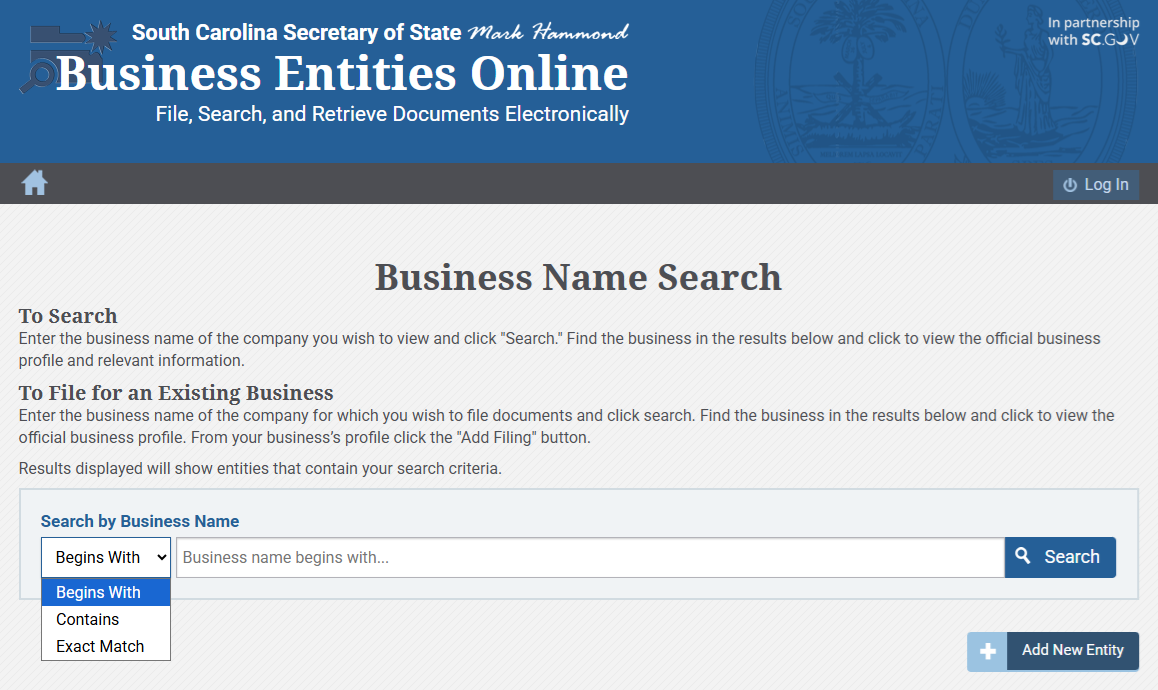
The Secretary of State operates a search tool, Business Entities Online, available at https://businessfilings.sc.gov/businessfiling/Entity/Search. No account registration is required to perform basic searches. The portal is available around the clock, so you can look up entities whenever necessary.
Once you land on the search page, you will see a search bar along with options for refining your query. The system allows you to search organizations on file with the Secretary of State that conduct business in South Carolina.
Understanding the Three Search Modes
South Carolina's system includes three search methods. The option you choose will shape the results you get.
| Search Mode | What It Does | Best Used For |
|---|---|---|
| Begins With | Returns entities whose names start with your search term | Finding companies when you know the first word |
| Contains | Returns entities whose names include your search term anywhere | Broad searches when you are unsure of the exact name |
| Exact Match | Returns only entities with the precise name you entered | Confirming a specific company's registration |
For example:
- "Begins with": Returns all businesses that start with your search term, such as "Carolina Tech."
- "Contains": Finds any business with your term anywhere in the name, like "South Carolina Tech Solutions."
- "Exact match": Only brings up businesses with the exact name you enter.
If you're checking if a name is available, try the "contains" mode. It helps you spot similar names you might want to avoid.
Performing a Standard Search
Follow these steps to conduct a basic entity search:
- Go to the Business Entities Online portal
- Enter the business name or keywords in the search field
- Select your preferred search mode
- Click the search button
- Review the list of matching entities
Each result lists the business name, type, and status. Click any result for more details about that business.
Searching by Registered Agent
You can also search by the registered agent's name instead of the business name. This lets you see all the businesses an agent represents.
Reading Your Search Results
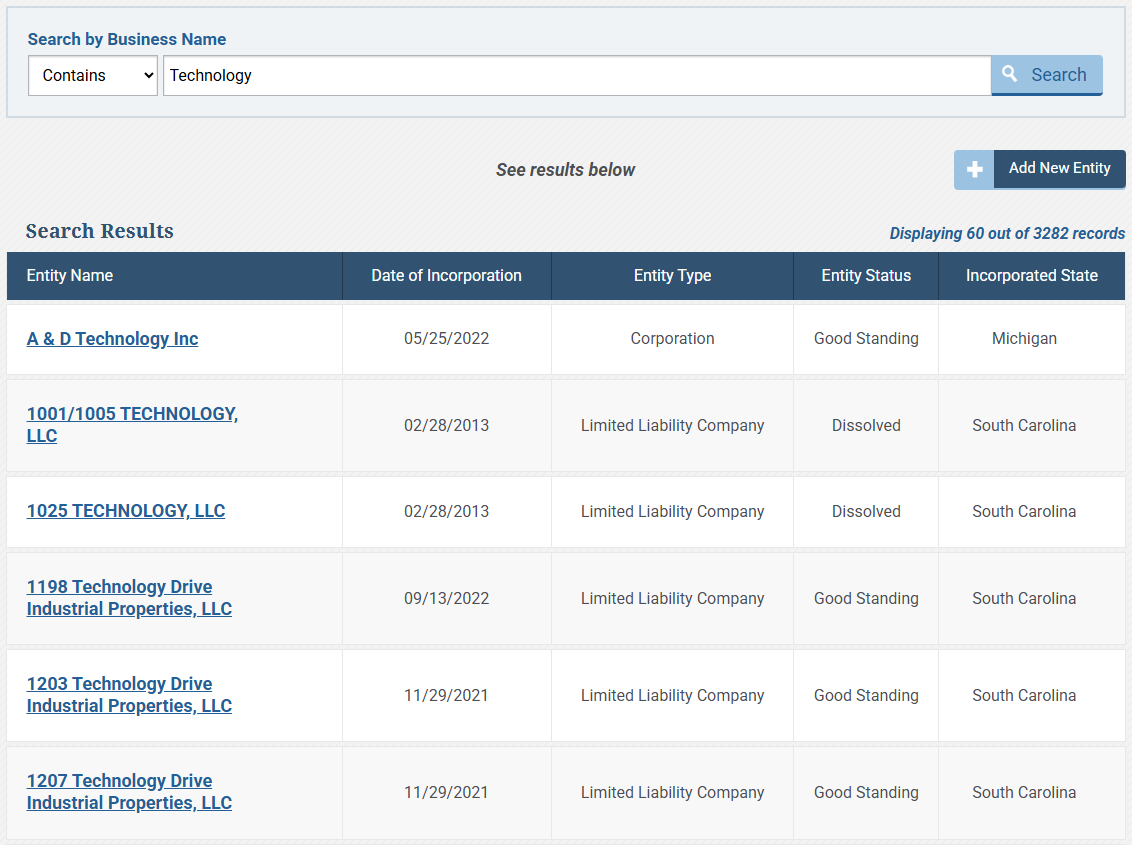
When you click on an individual entity from the results list, the detail page displays several pieces of information:
- Entity name
- Entity type (corporation, limited liability company, limited partnership, etc.)
- Status (active, dissolved, forfeited, or another designation)
- Date of formation or registration
- Filing history
What "Good Standing" Actually Means
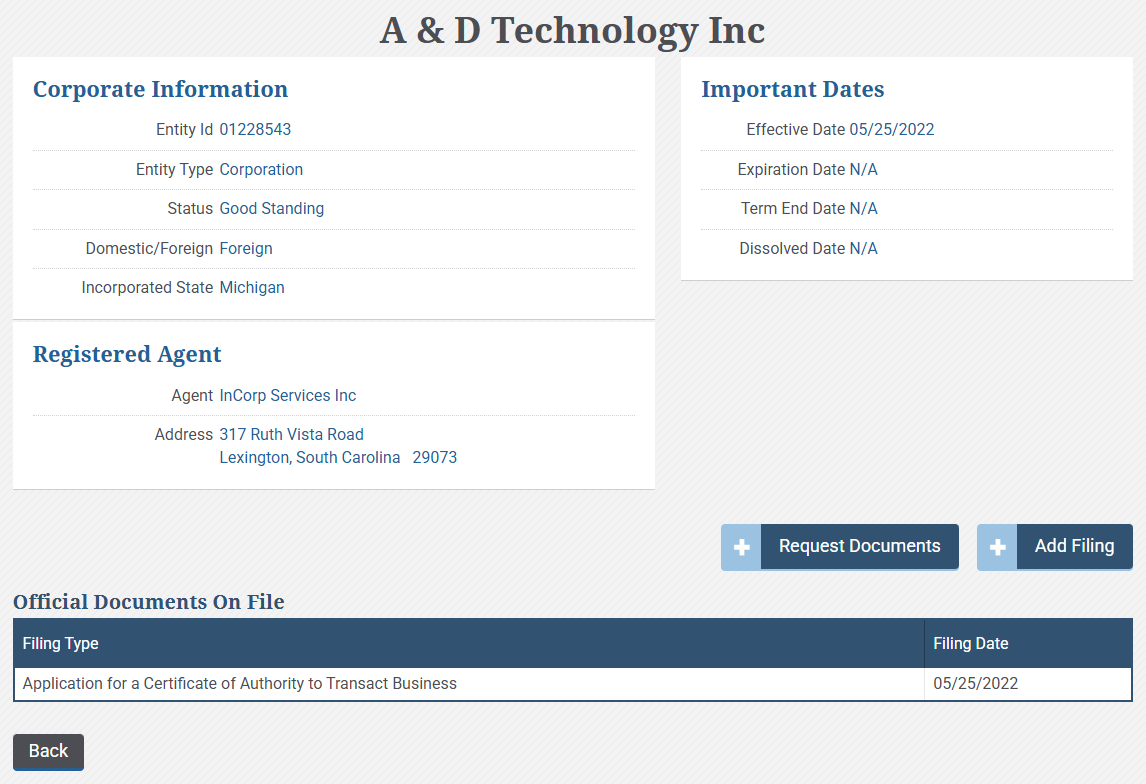
If you see "Good Standing," it means the business hasn't been dissolved in the state's records. This doesn't guarantee the business is actively operating; it means the state hasn't dissolved it.
A company in Good Standing could be inactive or not doing business. This status only shows the state's administrative record.
Information the Secretary of State Does Not Maintain
The Secretary of State's Office doesn't keep names or addresses of company officers or directors. For that information, contact the South Carolina Department of Revenue at (803) 898-5000.
Sole proprietorships don't file with the Secretary of State's Office, so their information isn't in this database.
Reserving a Name Before Filing
If your business name is available, you can reserve it before filing your formation documents. The fee to reserve a Limited Liability Company name is $25, and the reservation lasts for 120 days.
If you need more time, you can file a new reservation after the first one expires. Each reservation costs $25.
Filing Costs and Processing Times
For those ready to move beyond the search phase and actually form a business, here's what to expect for costs and processing times:
| Filing Type | Cost | Processing Time |
|---|---|---|
| Online LLC Formation | $125 ($110 filing fee + $15 electronic records fee) | 24 to 48 hours |
| Mailed LLC Formation | $110 | 3 to 4 business days after receipt (plus mail time) |
| Name Reservation | $25 | 24 to 48 hours |
Filing online is usually faster. Mailed filings typically take 3 to 4 business days to process once received, but during busy periods, processing may take longer.
Annual Requirements for South Carolina LLCs
South Carolina doesn't require annual reports for LLCs taxed under the default status. If your LLC is taxed as a corporation, check with a tax professional for specific requirements.
Business Licensing Considerations
The Secretary of State manages business registration but not licensing. South Carolina doesn't have a statewide business license. Licensing depends on your city, county, state agency, or federal rules, based on your business type and location.
Check with your city or county government, state agencies, and federal authorities to determine whether your business requires special permits or licenses.
Purchasing Copies of Corporate Documents
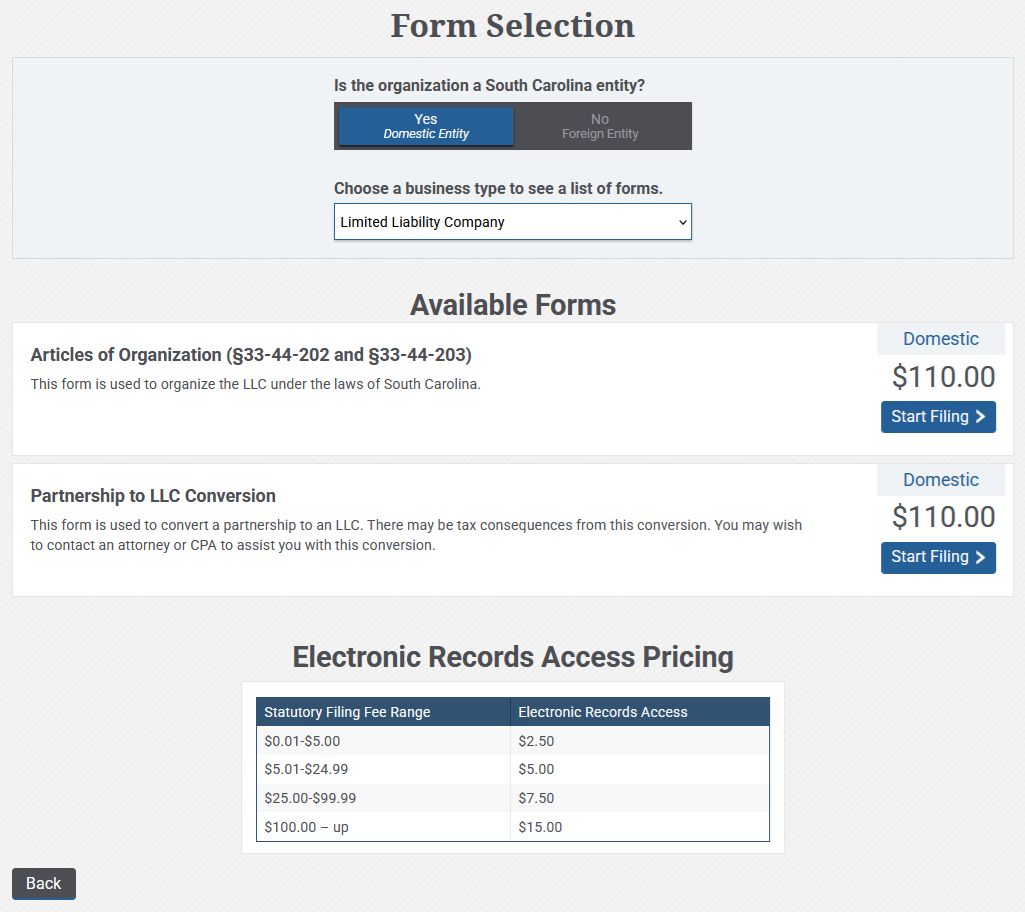
You can buy copies of corporate documents and certificates through the Business Entities Online portal. This covers certificates of existence, filed documents, and other official records. Pricing and ordering are available in the portal.
Final Notes on the Search Process
The South Carolina Secretary of State's business search tool makes it easy to look up companies, check registered agents, and see detailed records. You can use it to help with business formation or verification.
Learn how each search mode works and what different status designations mean. Remember, the database contains official state records, but it may not capture every detail about a business.
Frequently Asked Questions
Is the South Carolina business search free to use?
You can use the Business Entities Online portal for free. You'll have access to search, view registration details, and check registered agent information. There are fees only if you buy copies of documents or certificates.
Can I find officer and director information through the business search?
The Secretary of State's Office doesn't keep names or addresses for company officers or directors. For those details, contact the South Carolina Department of Revenue at (803) 898-5000.
Will I find sole proprietorships in the database?
Sole proprietorships don't file with the Secretary of State's Office. The database covers corporations, LLCs, limited partnerships, and other registered business types.
How long does a name reservation last in South Carolina?
A name reservation lasts for 120 days. If you need more time, you can file a new reservation after the first expires. Each one costs $25.
Do South Carolina LLCs have to file annual reports?
South Carolina doesn't require annual reports for LLCs taxed under the default status. Other states may have different rules.